 PDF_Complete_Off_5242fe1cd71c5.png
PDF Complete Office Edition

Combines the basic tools of Corporate Edition plus your most requested features. These advanced elements include editing existing text and converting PDFs to MS Word
PDF_Complete_Off_5242fe1cd71c5.png
Description
 |
Edit PDF documents
Add to or edit existing text. Change font type, size, and color. Adjust, move, or replace images. |
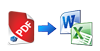 |
Export PDF to familiar formats
Easily convert your PDF documents to multiple formats, including MS Word, MS Excel, MS PowerPoint, web page HTML, XML, or plain text. |
 |
Sign and Secure
Authenticate agreements and contracts with digital signatures. Protect your important documents with passwords and security permissions. |
 |
Smart tools to help you stay organized
Scan your paper documents with our advanced OCR technology that will recognize multiple languages. Our OCR search enables you to quickly locate key words and phrases within your document. |
Basic Features:
- Open standard PDF documents
- Create PDF documents from multiple applications
- Complete fill-able PDF forms
- View PDF source information and set: title, subject, author, and keywords
- Choose viewing and storage options for your PDFs including: print quality, gray-scale settings, web page viewing, and embedding fonts
- Customize default settings for future PDF documents
- Use the “Save As” option to keep modifications made to an existing PDF as a new PDF document
Editing Features:
- Add, replace, or delete existing text
- Change or modify font, including font type, size, and color
- Copy, cut, and paste text
- Permanently redact text
- Type-over text
Viewing Features:
- Zoom in on a document to the desired viewing size
- Customize how a page fits within the display window
- Rotate individual or multiple pages within a document by 90 degrees clockwise/counter-clockwise or 180 degrees
Scanning features:
- Create PDFs as an image using your own scanner
- OCR Scan a document and use the search function for specific words and phrases
- Search function available in multiple languages - Make a “Text-Only” PDF by scanning a document consisting of only text
Annotations:
- Strikeout, underline,and highlight text
- Insert sticky-notes
- Add comment boxes
Manipulating PDFs:
- Insert, delete, and move pages within existing PDF documents
- Extract a page to create a new PDF document
- Combine multiple PDFs into one document
Document security:
- Insert digital signatures
- Create passwords to regulate the editing and viewing of your document
- Set permissions limiting the ability for others to: edit, copy, extract, print, or in any way modify your PDF document
Export PDF to other formats
PDF Documents can be exported to the following formats:
- Microsoft Word (RTF)
- Microsoft Word 7 (DOCX)
- Microsoft Excel (XLS)
- Microsoft Excel 2007
- Microsoft PowerPoint (PPTX)
- Web Page (HTML)
- Text
System Requirements
- Microsoft® Windows® 8, Windows® Server 2008 and 2008R2, Windows® 7, Windows Vista™, Windows® Server 2003, Windows® XP Professional with Service Pack 2 or greater (32-bit or 64-bit in all editions; includes Terminal Server support where applicable)
- Intel® Pentium® III processor or equivalent
- 256MB of RAM (512MB recommended)
- 90MB of available hard-disk space; optional installation files may require an additional 80MB
- 1,024x768 screen resolution
- Internet connection required for product activation